 |
SpectraLayers Pro
6.0
|
|
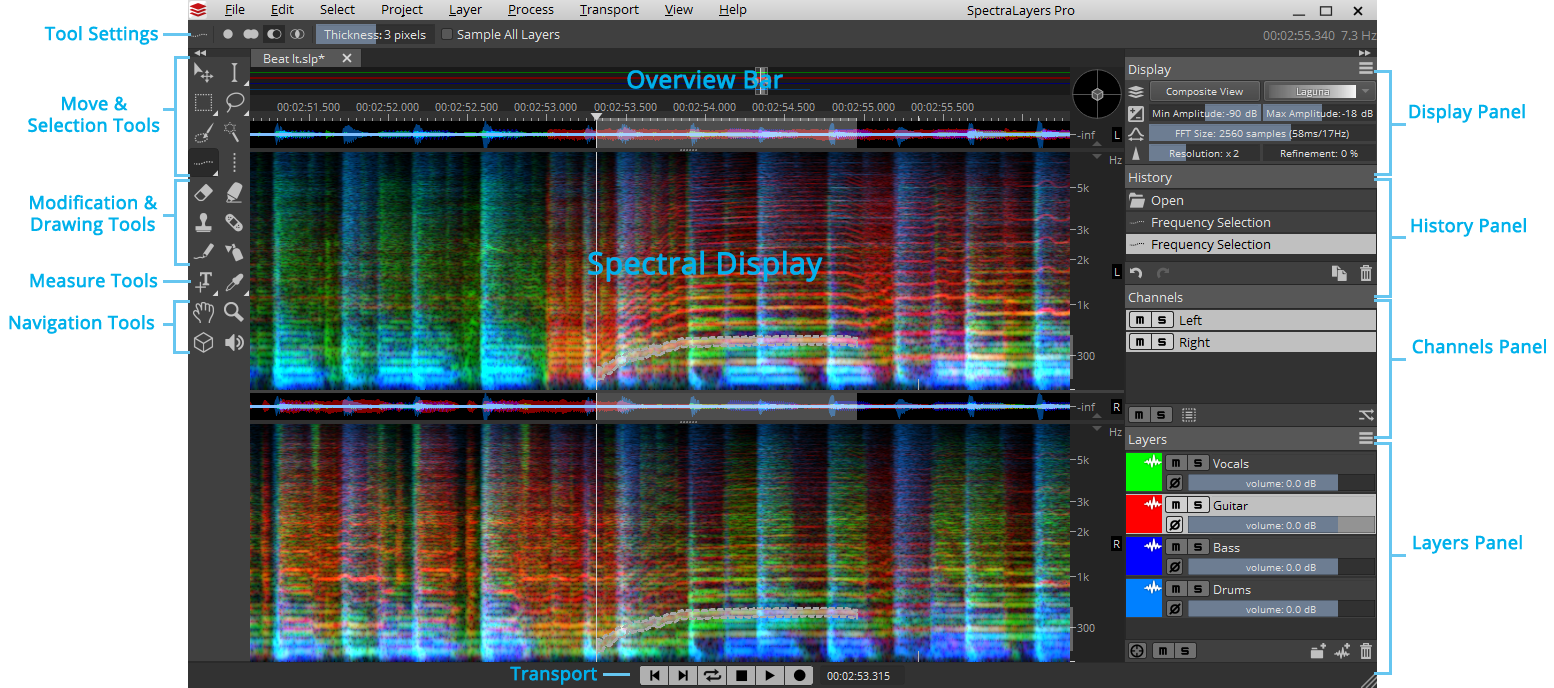
- The menu bar provides general project and options management, as well as specific editing and processing actions.
- The transport toolbar provides access to transport commands. For more information, see The Toolbars
- The tools to the left of the spectral display provide access to spectral selection, modification, drawing, measurements, and navigation. For more information, see The Tools toolbar
- The waveform display and overview bar help you navigate your project. For more information, see Waveform Display and overview bar
- The spectral display displays the spectrogram of the layers in your project. For more information, see Spectral Display
- The panels on the right side of the spectral display show display settings, editing history, audio channels, and your project's layers. For more information, see Panels
- See also Preferences and Saving and recalling layouts