
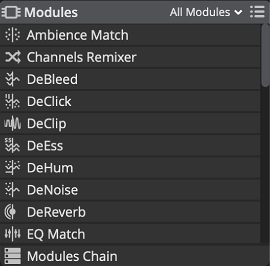
 New Modules Panel | New Features in SpectraLayers 11
Display and hide Modules. The modules filter at the top (defaulting to All Modules) can be customized using the  Modules Panel Menu, or you can simply type keywords in that field to quickly find modules.
Keywords can be part of module’s name, topics such as "speech", "noise", "music"…
Modules Panel Menu, or you can simply type keywords in that field to quickly find modules.
Keywords can be part of module’s name, topics such as "speech", "noise", "music"…
Hovering a module’s name will display a short description of what it does, if it is dependent on the FFT Size parameter (see the Display Panel and The Importance of FFT Size) and its associated keyboard shortcuts, if any. Same when hovering the help icon in the module’s dialog when a module is displayed.
This panel mirrors the modules found in the menu. Clicking on a module displays its dialog or hides it.
It also features the Modules Chain at the bottom of the panel.
